
Getting Started: Tools for Success
- View
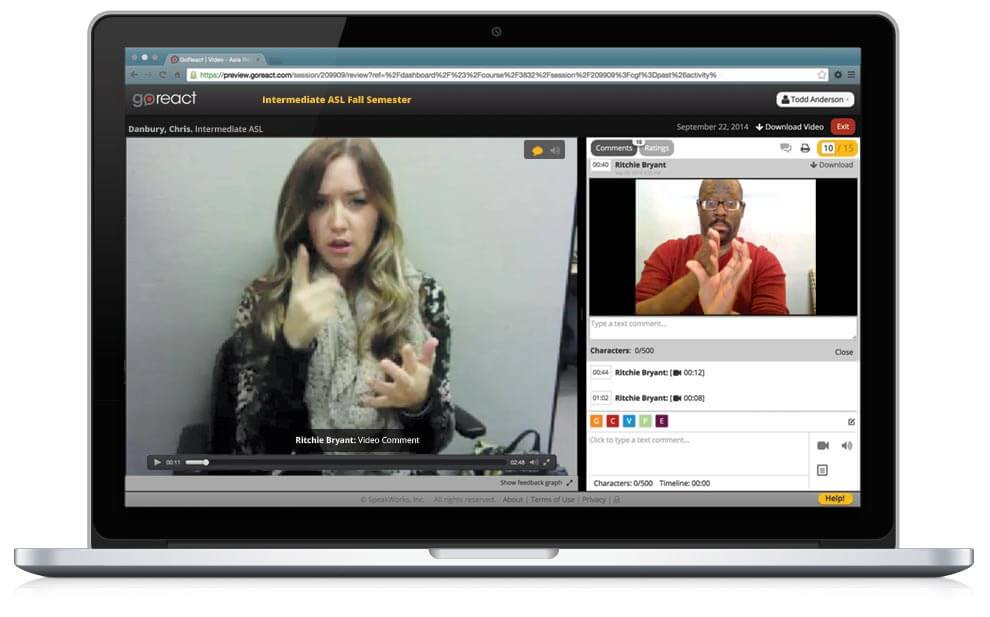
A key activity in this course is filming interpreting samples for self-assessment and further reflection for practice and preparation. We have prepared a list of tools and resources you will need to be successful and to complete the interpreting samples and self-assessment. Click here for a simple copy of this list you can use for tracking.
| Need | Reason | Status: |
| Recording Platforms |
There are a variety of programs that allow for screen recording, in which the activities in this course will require. A few programs we suggest are GoReact (paid account) or any of the free programs such as Zoom, Loom, Vimeo & Quicktime Player (for Mac.). We have compiled some information on these options for your convenience, click here to learn more. |
|
| Computer |
If you are working toward passing an interpreting performance exam, we highly recommend completing this course on a computer to best prepare you for the testing environment. |
|
| Reliable Internet |
It is recommended to hardwire the computer to a router to prevent internet connection issues while recording. If you do not have the option to hardwire your internet connection, review these tips to maximize wireless connections:
|
|
| Camera |
Access to a high quality recording device to capture your work is essential. Turn off any auto focus features, as this will create blurred videos with ASL. Examples of recording devices are camcorders, webcams, or smartphones. Please record your interpretations and then transfer them to YouTube as an unlisted video (or another video sharing service.) |
|
| Microphone |
Most external cameras have a built in microphone. If the recording device you are using does not have a microphone, headphones with a microphone can also be used. [Not needed for Deaf interpreters] |
|
| Speakers |
Headphones and built-in or external speakers are required to complete some of the activities. To help minimize feedback when recording, it is best to use headphones instead of built-in or external speakers when recording videos with audio. [Not needed for Deaf interpreters] |
|
| Lighting |
The lighting used when filming should be enough to show your hands and face clearly. It is recommended that the light source be in front of you instead of behind you. |
|
| Background |
Consider using a solid background that is contrasting to your skin tone and free of patterns. A solid color wall or door usually works well. |
|
| Professional Attire |
Dress professionally and ensure any clothing is comfortable and free of distractions. Consider the clothing you would like to wear on testing day and try these out during this series. |
|
| Distraction-free Environment | While working through this course, be in a distraction-free environment to allow yourself to focus on the material and assimilate the exam environment. Most testing sites will provide you the option to sit or stand, however not all. To prepare yourself for the performance exam process, we recommend practicing some activities while standing and some activities while sitting. |
*In addition to these tools and resources, you may need to add to this list in Module 1 as you explore the specific instructions of the performance exam for which you are preparing. For example, some exams allow candidates to have note taking supplies available during the exam. In these cases, we strongly encourage you to have these available in this course as well.
When you have all of the components needed for this series listed above, you are ready to move forward.